Getting started
anaStruct is a Python implementation of the 2D Finite Element method for structures. It allows you to do structural analysis of frames and frames. It helps you to compute the forces and displacements in the structural elements.
Besides linear calculations, there is also support for non-linear nodes and geometric non linearity.
Structure object
You start a model by instantiating a SystemElements object. All the models state, i.e. elements, materials and forces are kept by this object.
- class anastruct.fem.system.SystemElements(figsize=(12, 8), EA=15000.0, EI=5000.0, load_factor=1.0, mesh=50, invert_y_loads=True)[source]
Modelling any structure starts with an object of this class.
- Attributes:
EA: Standard axial stiffness of elements, default=15,000 EI: Standard bending stiffness of elements, default=5,000 figsize: (tpl) Matplotlibs standard figure size element_map: (dict) Keys are the element ids, values are the element objects node_map: (dict) Keys are the node ids, values are the node objects. node_element_map: (dict) maps node ids to element objects. loads_point: (dict) Maps node ids to point loads. loads_q: (dict) Maps element ids to q-loads. loads_moment: (dict) Maps node ids to moment loads. loads_dead_load: (set) Element ids that have a dead load applied.
- Methods:
add_element: Add a new element to the structure. add_element_grid: Add multiple elements based upon sequential x and y coordinates. add_sequential_elements: Add multiple elements based upon any number of sequential points. add_multiple_elements: Add multiple elements defined by the first and the last point. add_truss_element: Add a new truss element (an element that only has axial force) to the structure. add_support_hinged: Add a hinged support to a node. add_support_fixed: Add a fixed support to a node. add_support_roll: Add a roll support to a node. add_support_rotational: Add a rotational support to a node. add_support_spring: Add a spring support to a node. insert_node: Insert a node into an existing structure. solve: Compute the results of current model. validate: Validate the current model.
- __init__(figsize=(12, 8), EA=15000.0, EI=5000.0, load_factor=1.0, mesh=50, invert_y_loads=True)[source]
Create a new structure
- Args:
figsize (Tuple[float, float], optional): Figure size to generate. Defaults to (12, 8). EA (float, optional): Axial stiffness. Defaults to 15e3. EI (float, optional): Bending stiffness. Defaults to 5e3. load_factor (float, optional): Load factor by which to multiply all loads. Defaults to 1.0. mesh (int, optional): Number of mesh elements, only used for plotting. Defaults to 50. invert_y_loads (bool, optional): Whether to invert the y-direction of the loads, such that a positive
Fy load will be in the direction of gravity. Defaults to True.
Example
from anastruct import SystemElements
ss = SystemElements()
This ss object now has access to several methods which modify the state of the model. We can for instance create a structure.
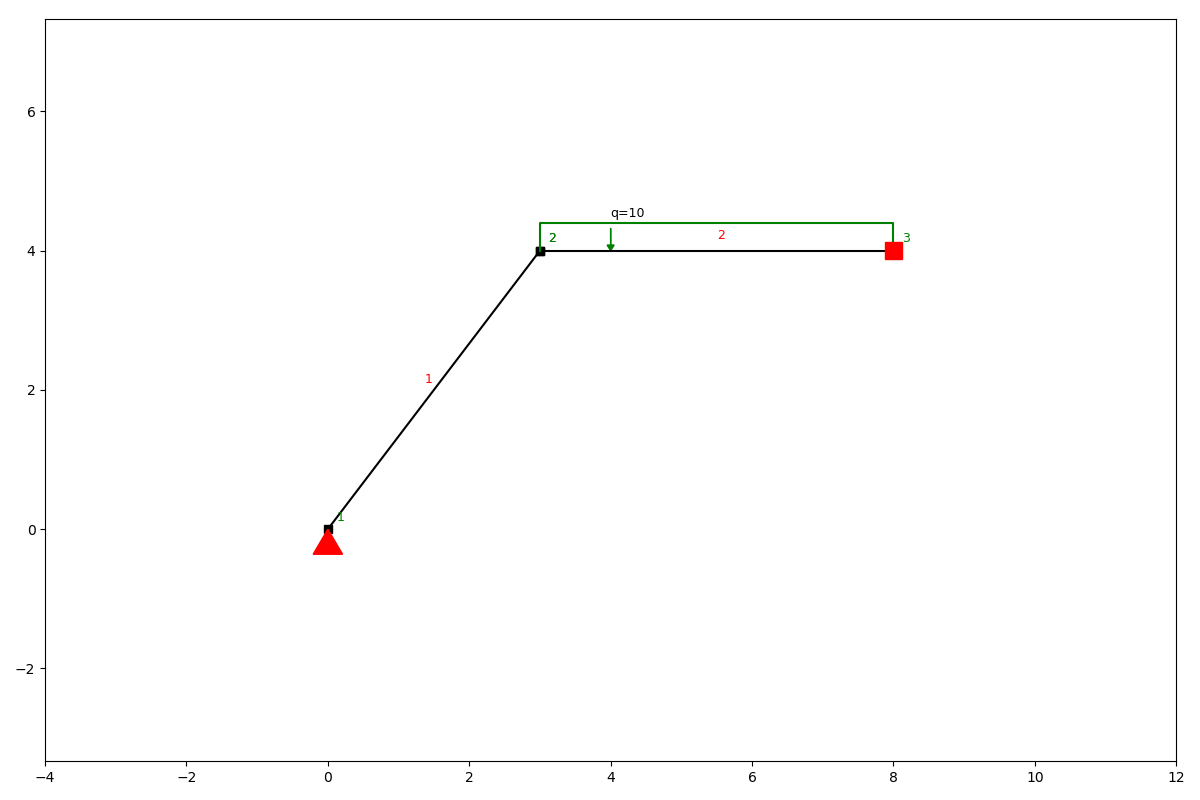
ss.add_element(location=[[0, 0], [3, 4]], EA=5e9, EI=8000)
ss.add_element(location=[[3, 4], [8, 4]], EA=5e9, EI=4000)
Now we have elements, we need to define the supporting conditions of our structure.
ss.add_support_hinged(node_id=1)
ss.add_support_fixed(node_id=3)
Finally we can add a load on the structure and compute the results.
ss.q_load(element_id=2, q=-10)
ss.solve()
We can take a look at the results of the calculation by plotting different units we are interested in.
ss.show_structure()
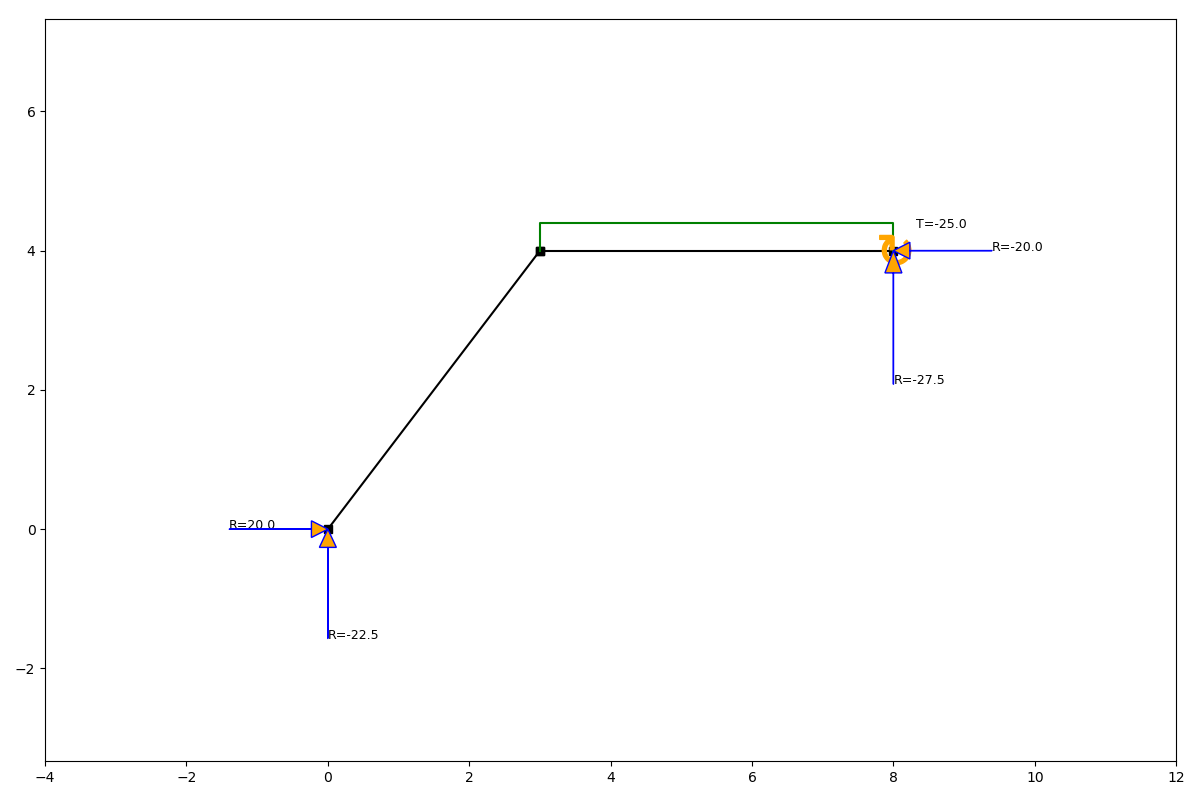
ss.show_reaction_force()
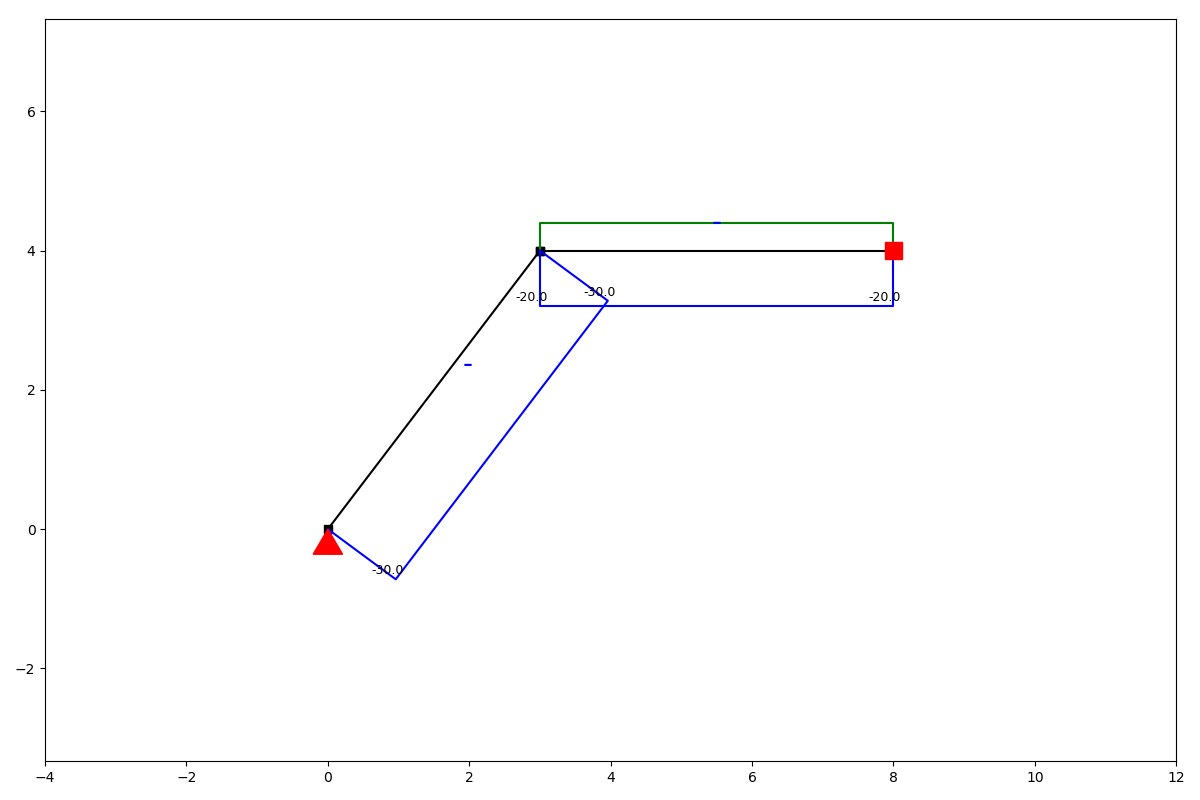
ss.show_axial_force()
ss.show_shear_force()
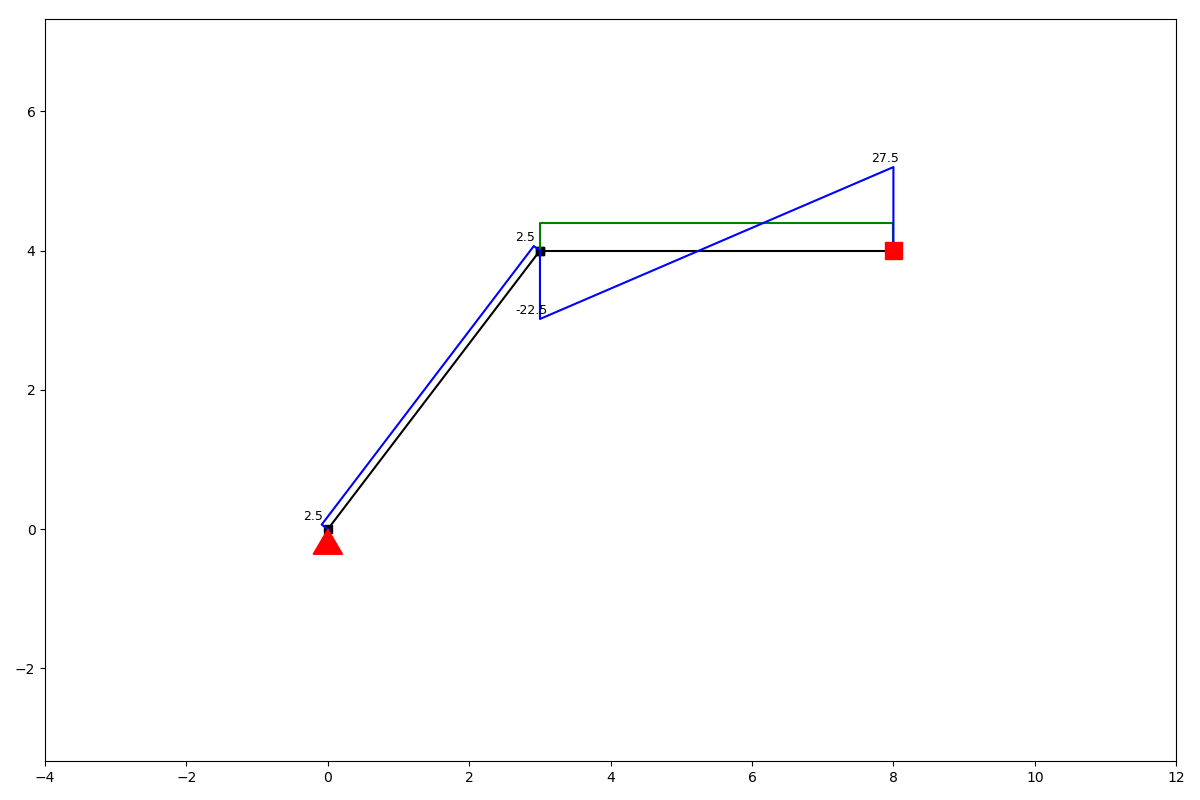
ss.show_bending_moment()
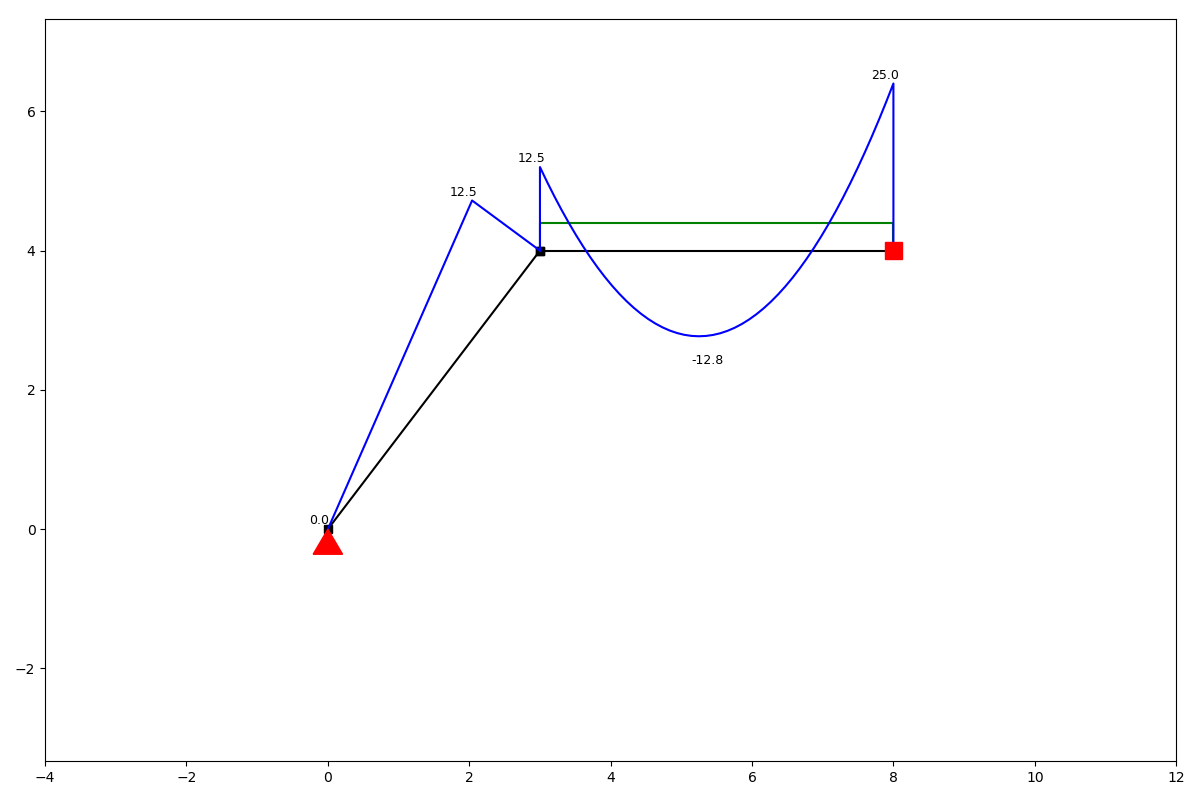
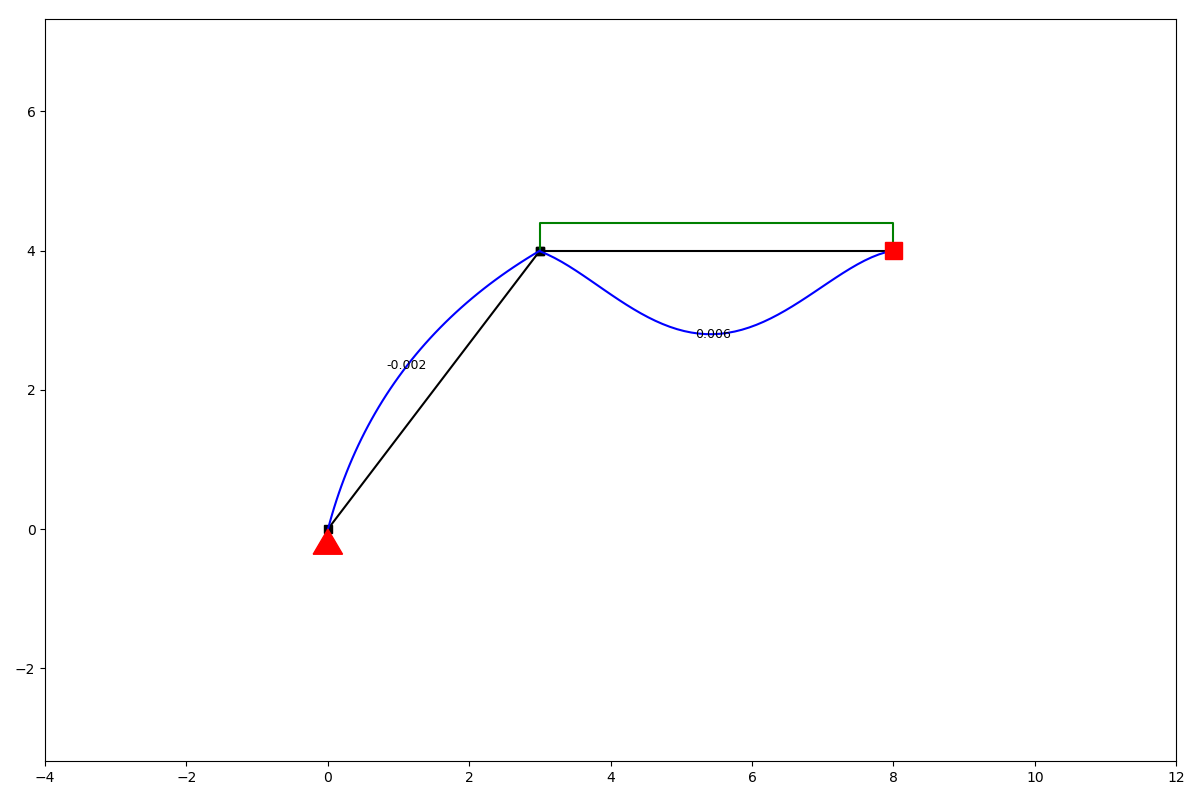
ss.show_displacement()